What a group is for
A group is a shared record. Everyone in it can add expenses, everyone can see them, and Zebal keeps a running total of who has paid more than their share and who owes.
Anything you add to a group is visible to every member. Keep personal expenses on your own tabs.
Creating a group
- Tap the Groups tab.
- Tap Create New Group.
- Give it a name — "Flat 3B", "Goa Trip", "Home".
- Create it.
You become the group's admin, which means you can add and remove members, change the name and photo, and set the group budget.
Inviting people
There are three ways, and they all end up in the same place:
Share a link
From inside the group, share the invite link through WhatsApp or any other app. When the person taps it, Zebal opens and offers to join them to the group.
If they don't have Zebal installed, the link opens a web page instead, showing the group code and a link to install the app.
Invite from contacts
Pick someone from your contacts and Zebal prepares an invitation message. The app only uses the contact you choose — your contact list is never uploaded or stored.
Share the code
Every group has a short code. Give it to someone and they can join with Join Group (Enter Code) from the Groups menu.
Adding a group expense
- Open the group.
- Tap the button to add an expense.
- Enter the item and amount — or use the microphone and just say it.
- Choose who paid.
- Tick who it should be split between.
- Send it.
Everyone in the group sees it straight away, and the balances update.
Balances and settling up

Open the group's history and you'll find three tabs:
| Tab | Shows |
|---|---|
| History | Every expense added to the group. |
| Balances | Who is owed money and who owes it. |
| Auto-Bills | Recurring expenses set up for the group. |
Simplify Debts
On the Balances tab, Simplify Debts & Pay works out the smallest number of payments that clears everything.
Instead of three people each paying two others, it might tell you that one payment settles the lot. From there you can pay over UPI, or record a payment you've already made in cash.
Zebal doesn't process payments. Choosing to pay over UPI simply opens your own UPI app with the details filled in. The transfer happens between you, your UPI app and your bank — the app can't see, hold or reverse it. Check the amount and recipient before confirming.
Group budget
Admins can set a spending limit for the whole group, with the same options as a personal budget — a cycle, and whether unspent money carries forward.
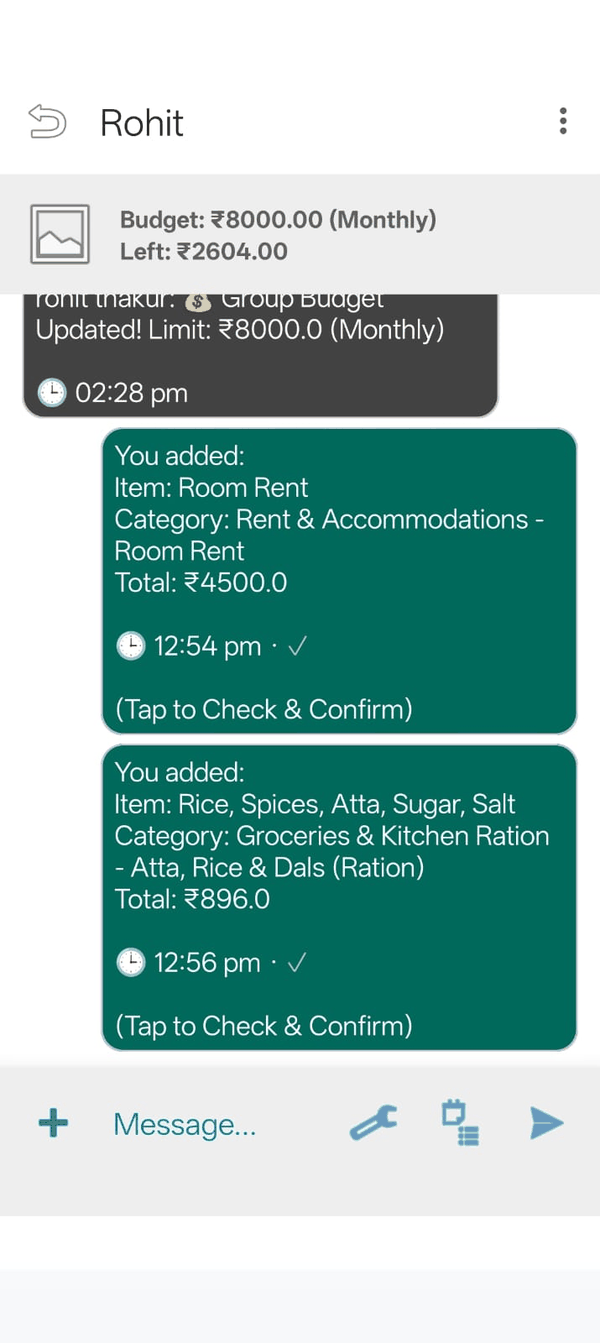
The group's remaining budget shows at the top of the group screen, so everyone can see where things stand. When the budget is changed, a message is posted in the group chat so nobody is caught out by a change they didn't know about.
Group chat
Every group has a chat. Alongside messages you can react with emoji, edit or delete your own messages, and get an audio summary of the week's activity.
Holding down a message opens its options. If you use a screen reader, these are also available through the actions menu, so you don't need to long-press.
A note on disagreements
Balances are worked out from what members have entered. They're a convenience for keeping track, not a binding record of debt. If people disagree about who owes what, that's a conversation between you — Zebal can't arbitrate or reverse a group's records.